Generate Poster Blog
Make a Christmas Movie Poster From a Photo
2026-11-12
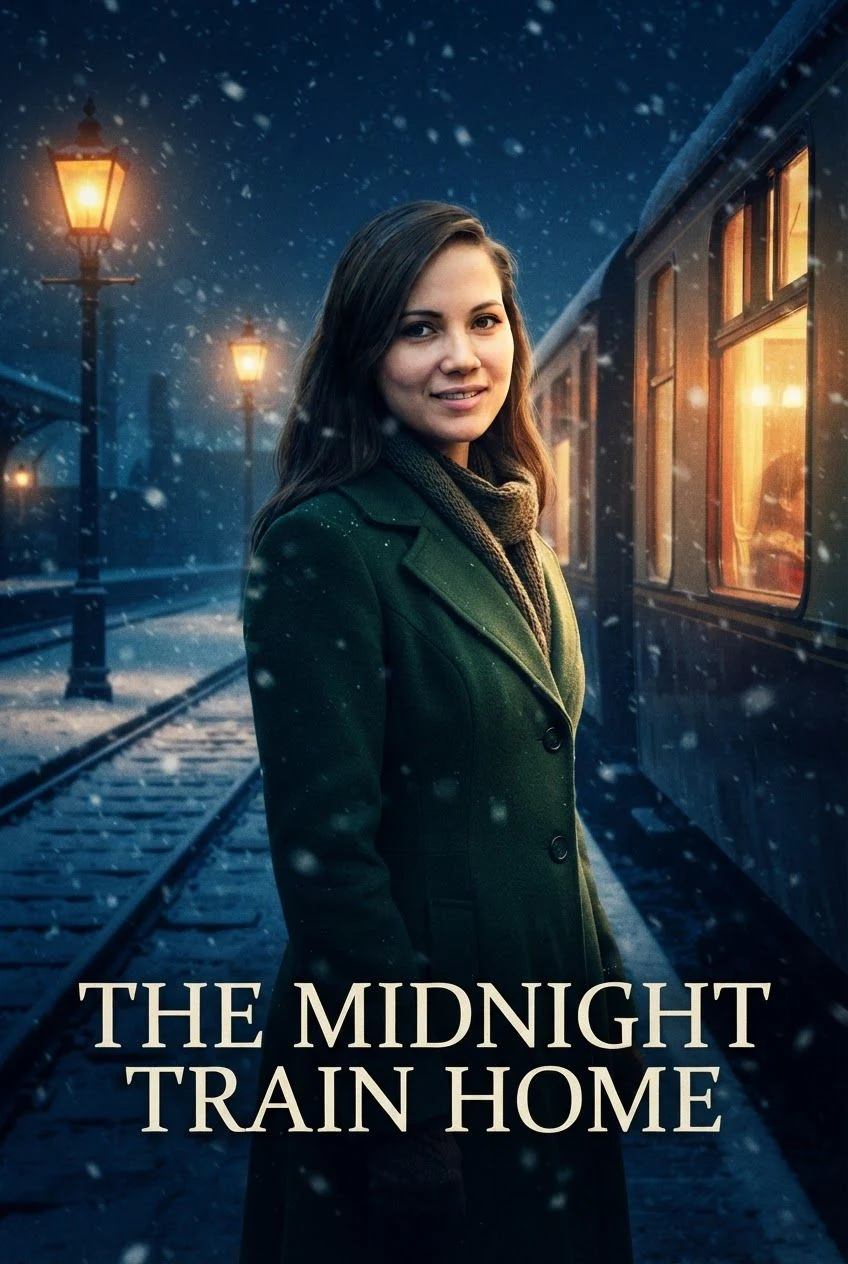
Pick someone who would enjoy seeing themselves as the lead in an imaginary holiday film. Give the poster a title that means something to them. A relative who always misses the last train might enjoy The Last Train Home. A dog who claims the good chair might star in The Fireplace Heist.
Open the Christmas poster maker and choose the night-train preset to start with the scene below. It opens the builder with the prompt filled in.
Start with a face you can recognize
Use one sharp portrait in even light, ideally with the eyes unobstructed. Leave some room around the head for the final crop. If you want to make something for a whole family, a single portrait makes a useful first test. Check every face individually before printing any group result.
See the winter railway example

The cover image is the result from that test. Here’s the prompt we entered.
Create an original vertical Christmas movie poster from the uploaded portrait. Put the person on a quiet snowy railway platform lit by amber station lamps. Keep their face unobstructed and recognizable, use deep blue shadows and warm window light, and leave the lower quarter clear for a fictional film title. No lettering, logos, or franchise references.
To personalize it, replace the railway platform with a place they know. Keep the warm lighting and the clear title area. If snow or props obscure the face, simplify the background before generating another version.
The preview added a title even though the prompt asked for blank space. If the model adds lettering, choose another result or remove the letters before placing your own title.
Add the title and credits after you choose the image
Open the image in a layout editor and put the title in the quiet area you left. Keep it short enough to read on a phone. Add a smaller line such as “Starring Mia” or “A December adventure” if it adds to the joke. Review the spelling before exporting, and leave enough margin for a frame to overlap the edge.
Choose digital delivery or a print
A digital poster can be sent as an image or used in a card layout. For a print, check the downloaded image’s dimensions against the frame. At 300 pixels per inch, a 2400 × 3600 pixel file fits an 8 × 12 inch print. Your result may have different dimensions, and a 5 × 7 or 8 × 10 frame will need a crop or a mat. Confirm the print shop’s turnaround before relying on a delivery date.
For ideas that work without a person’s photo, try the Christmas poster ideas guide.